
Phone setting

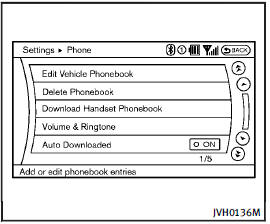
Phone setting
To set up the Bluetooth® Hands-Free Phone System to your preferred settings, push the SETTING button on the instrument panel and select the “PHONE” key.
See also:
Emergency engine shut off
To shut off the engine in an emergency situation while driving, perform the following procedure: . Rapidly push the push-button ignition switch 3 consecutive times in less than 1.5 seconds, or . Push ...
Shift lock release
Shift lock release
If the battery charge is low or discharged, the selector lever may not be moved from the P (Park) position even with the brake pedal depressed and the selector lever button pushe ...
Automatic anti-glare type
The inside mirror is designed so that it automatically changes reflection according to the intensity of the headlights of the following vehicle.
The anti-glare system will be automatically turned on ...