
Personal lights (Sedan)

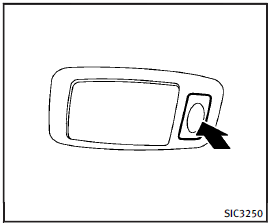
Rear
Push the button as illustrated to turn the light on or off.
See also:
Air cleaner
Air cleaner
Remove the retainers 1 as illustrated and pull out the filter element 2 .
The filter element should not be cleaned and reused. Replace it according to the maintenance intervals. See “I ...
iPod® player operation
Connecting iPod®
Open the tray lid and connect the iPod®
cable to the USB connector. If the iPod®
supports charging via USB, the battery of
the iPod® will be charged while connected
to the ...
Control buttons
Control buttons
1. PHONE SEND button Push the button to initiate a VR session or answer an incoming call.
You can also use the button to skip through system feedback and to enter commands during ...