
Others information (models with navigation system)

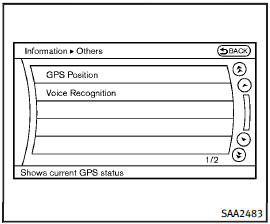
Others information (models with navigation system)
The Others information display will appear when pushing the INFO button and selecting the “Others” key.
GPS Position:
For the details of this item, see the separate Navigation System Owner’s Manual.
Voice Recognition:
For the details of this item, see “INFINITI Voice Recognition system (models with navigation system)”.
See also:
Welcome light
To activate or deactivate the welcome light
function, perform the following procedure.
1. Push the ignition switch to the ON
position.
2. Open the driver’s side door.
3. Within 20 seconds ...
Vanity mirrors
To access the vanity mirror, pull the sun visor down and flip open the mirror cover. The vanity mirror will illuminate when the mirror cover is open. ...
Seat belts
The seat belts can be cleaned by wiping
them with a sponge dampened in a mild
soap solution. Allow the belts to dry
completely before using them.
See “Seat belts” in the “1. Safety — seats,
...