
Warning light and display

WARNING
light and display
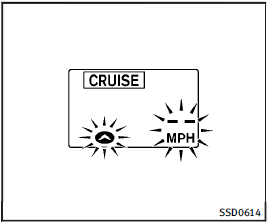
Condition A:
The chime sounds and the Intelligent Cruise Control system is canceled automatically in the conditions described below.
Part of the system display will come on or blink, making it impossible to set.
• When the VDC is turned off
• When the ABS or VDC (including the traction control system) operates
• When a tire slips
• When the SNOW mode switch is turned on
• When strong light (sunlight, etc.) is directly shining on the front of the vehicle
Action to take:
When the conditions listed above are no longer present, turn the system off using the Intelligent Cruise Control MAIN Switch.
Turn the ICC system back on to use the system.
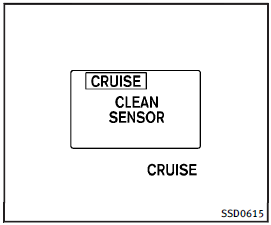
Condition B:
When the sensor window is dirty, making it impossible to detect a vehicle ahead, the ICC system is automatically canceled.
The chime sounds and the ICC system warning light (orange) will come on and the “CLEAN SENSOR” indicator will appear.
Action to take:
If the warning light comes on, park the vehicle in a safe place, turn the engine off.
Clean the sensor window with a soft cloth and then perform the settings again.
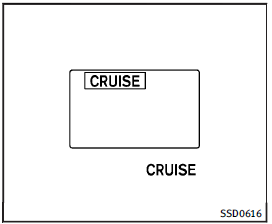
Condition C:
When the ICC system is not operating properly, the chime sounds and the ICC system warning light (orange) will come on.
Action to take:
If the warning light comes on, park the vehicle in a safe place. Turn the engine off, restart the engine, resume driving and set the ICC system again.
If it is not possible to set the system or the indicator stays on, it may indicate that the ICC system is malfunctioning. Although the vehicle is still driveable under normal conditions, have the vehicle checked at an INFINITI retailer.
See also:
Distance Control Assist (DCA) system (if so equipped)
The Distance Control Assist (DCA) system
brakes and moves the accelerator pedal
upward according to the distance from and
the relative speed of the vehicle ahead to
help assist the driver to m ...
OFF button
To change the display brightness, press the OFF
button. Press the button again to change the display to the day
or the night
display. The brightness can then be adjusted using the INFINITI con ...
Changing a flat tire
If you have a flat tire, follow the instructions below:
Stopping the vehicle
1. Safely move the vehicle off the road and away from traffic.
2. Turn on the hazard warning flashers.
3. Park on a ...