
Warning light
WARNING
light
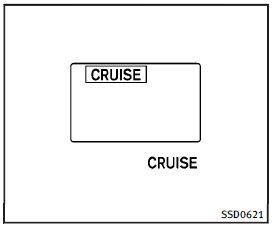
When the system is not operating properly, the chime sounds and the system warning light (orange) will come on.
Action to take:
If the warning light comes on, park the vehicle in a safe place. Turn the engine off, restart the engine, resume driving and then perform the setting again.
If it is not possible to set or the indicator stays on, it may indicate that the system is malfunctioning. Although the vehicle is still driveable under normal conditions, have the vehicle checked at an INFINITI retailer.
See also:
Adjusting the time
1. To set the clock forward, push the button 1 .
2. To set the clock backward, push the button 2 .
3. To move forward or backward faster, push and hold the button more than 5 seconds.
For details a ...
Event Data Recorders (EDR)
This vehicle is equipped with an Event Data
Recorder (EDR). The main purpose of an
EDR is to record, in certain crash or near
crash-like situations, such as an air bag
deployment or hitting a ...
Booster seat installation
CAUTION
Do not use the lap/shoulder belt Automatic Locking Retractor (ALR) mode when using a booster seat with the seat belts.
Refer to all Warnings and Cautions in the “Child safety”, “Child restra ...