
Family-friendly features
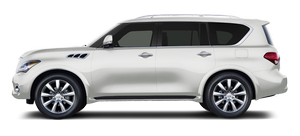
While the wide, flat seats in the QX56 are awesome for installing an array of odd-sized child-safety seats, they're not awesome for holding smaller drivers and passengers in place during the slight body roll that happens in such a large SUV. I didn't like sliding from one side of my seat to the other and then back again around every curve. As it turns out, bolstered seats have a purpose besides looking sporty.
In a market full of hard-to-access third rows, the QX56 excels. The second row captain's chairs fold and tumble easily using either a hand lever on the seat itself or, better yet, a button on the dashboard. This is great news. Now, trying to load kids while being pressured to get through the carpool lane quickly, I can press this button to tumble the second row forward from the comfort of my heated driver's seat so all the kids can climb into the "way back." The kids who are climbing into the second row can then easily press the captain's chair back into place and climb in. And when I say "easily," I mean it. Even my 7-year-old stepdaughter can do it by herself.
To go from hauling kids to hauling stuff and back again, the power-operated split third row folds flat via a button in the cargo area. Ahh — no seats to remove, no seats to fight with, no numbered tabs to pull. (Step 1: pull this. Step 2: fold that. Step 3: give up.) Just easy, simple seats that fold. Ingenious.
What's not so ingenious is the odd placement of the side mirror adjustment lever: below the dash in front of the driver's left knee. Unless you're completely disproportionate, a driver of any size would have to bend forward and down to adjust the side mirror, guessing for proper placement, then sit back in the seat and hope they got it right. Nope? Try again.
Legroom in the second row is expansive while leaving enough legroom in the third row to accommodate kids of all sizes, or even average-sized adults. There are nine cupholders and four bottleholders scattered throughout all three rows, ensuring that every passenger can have his or her coffee and drink it, too.
See also:
General maintenance
General maintenance includes those items which should be checked during normal day-to-day operation. They are essential for proper vehicle operation. It is your responsibility to perform these procedu ...
Snow mode
Used on snowy roads or slippery areas. When the SNOW mode is activated, engine output is controlled to avoid wheel spin. Turn the SNOW mode off for normal driving. Turn the drive mode select switch to ...
Emergency engine shut off
To shut off the engine in an emergency situation while driving, perform the following procedure: . Rapidly push the push-button ignition switch 3 consecutive times in less than 1.5 seconds, or• Push a ...