
Console box
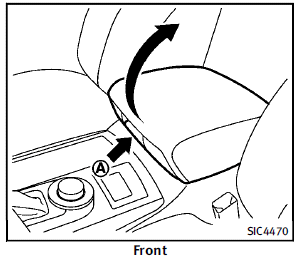
Front To open the console box, push up the knob A and pull up the lid. To close, push the lid down until latched.
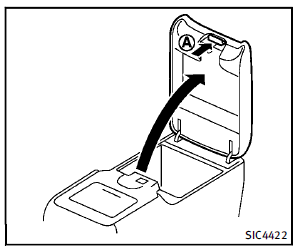
Rear (if so equipped)
To open the lid, push the knob up A and pull up the lid. To close, push the lid down until the lock latches.
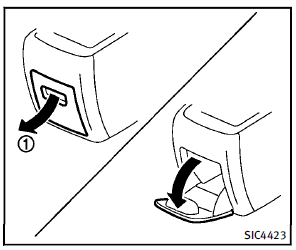
Pocket:
To open the pocket, pull the knob 1 . To close, push the lid until the lock latches.
See also:
FM-AM-SAT radio operation
When the radio band select button is pushed while the ignition switch is in the ACC or ON position, the radio will come on at the channel last played.
The last channel played will also come on when t ...
On-pavement and off-road driving precautions
Utility vehicles have a significantly higher rollover rate than other types of vehicles.
They have higher ground clearance than passenger cars to make them capable of performing in a variety of on-pa ...
Emission control information label
Emission control information label
The emission control information label is attached as shown. ...