
12v outlets

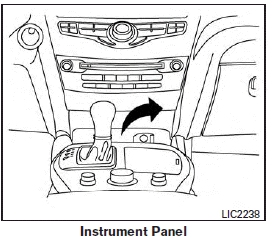
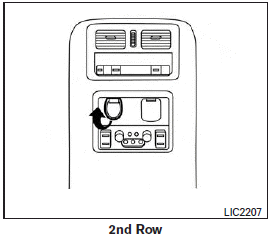
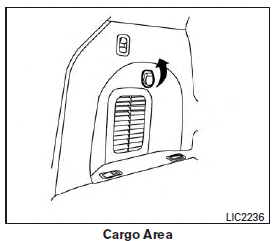
The power outlets are for powering electrical accessories such as cellular telephones. They are rated at 12 volt, 120W (10A) maximum.
The power outlets are powered only when the ignition switch is in the ACC or ON position.
CAUTION
● The outlet and plug may be hot during or immediately after use.
● Only certain power outlets are designed for use with a cigarette lighter unit. Do not use any other power outlet for an accessory lighter. See your INFINITI retailer for additional information.
● Do not use with accessories that exceed a 12 volt, 120W (10A) power draw.
● Do not use double adapters or more than one electrical accessory.
● Use power outlets with the engine running to avoid discharging the vehicle battery.
● Avoid using power outlets when the air conditioner, headlights or rear window defroster is on.
● Before inserting or disconnecting a plug, be sure the electrical accessory being used is turned OFF.
● Push the plug in as far as it will go. If good contact is not made, the plug may overheat or the internal temperature fuse may open.
● When not in use, be sure to close the cap. Do not allow water or any other liquid to contact the outlet.
See also:
Locking with power door lock switch
To lock all the doors without a key, push the door lock switch (driver’s or front passenger’s side) to the lock position 1 . When locking the door this way, be certain not to leave the key inside th ...
Fuel-filler cap
WARNING
► Gasoline is extremely flammable and
highly explosive under certain conditions.
You could be burned or seriously
injured if it is misused or mishandled.
Always stop engine an ...
Installing top tether strap
Sedan
Coupe
First, secure the child restraint with the LATCH lower anchors (rear outboard seat positions only) or the seat belt, as applicable.
1. Flip up the anchor cover from the anchor point ...