
Personal lights (Sedan)

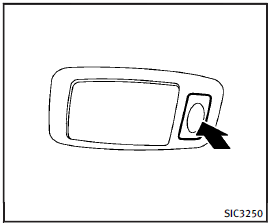
Rear
Push the button as illustrated to turn the light on or off.
See also:
Selecting the memorized position
1. Automatic transmission models: Move the selector lever to the P (Park) position.
Manual transmission models: Apply the parking brake.
2. Raise the seatback (Coupe).
3. Use one of the following m ...
Exterior rear
1. Moonroof, Panoramic sunshade (if so equipped) (P. 2-53, 2-55)
2. Antenna (P.4-101)
3. Rear window wiper and washer switch (P. 2-29)
4. Corner sensors (if so equipped) (P. 4-40)
5. Lif ...
Sun visors
1 To block glare from the front, swing down the sun visor.
2 To block glare from the side, remove the sun visor from the center mount and swing the visor to the side.
3 Slide the extension sun ...