
Others information (models with navigation system)

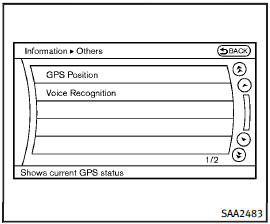
Others information (models with navigation system)
The Others information display will appear when pushing the INFO button and selecting the “Others” key.
GPS Position:
For the details of this item, see the separate Navigation System Owner’s Manual.
Voice Recognition:
For the details of this item, see “INFINITI Voice Recognition system (models with navigation system)”.
See also:
Vehicle load capacity
Do not exceed the load limit of your
vehicle shown as “The combined
weight of occupants and cargo” on
the Tire and Loading Information
label. Do not exceed the number of
occupants shown as ...
Clearing the programmed information
Individual buttons cannot be cleared. However, to clear all programming:
Press and hold the two outer HomeLink buttons until the indicator light begins to flash in approximately 10 seconds. Release ...
Instrument panel
1. Vent (P. 4-52)
2. Headlight/fog light/turn signal switch (P. 2-30)
3. Instrument brightness control (P. 2-34)
4. Meters, gauges, warning/indicator lights and Vehicle Information Displa ...