
Useful tips for correct operation
Useful tips for correct operation
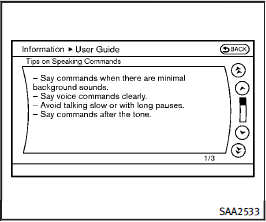
You can display useful speaking tips to help the system recognize your voice commands correctly.
Select “Help on Speaking” to start display.
See also:
Readiness for Inspection/Maintenance (I/M) test (US only)
A vehicle equipped with All-Wheel Drive (AWD) should never be tested using a two wheel dynamometer (such as the dynamometers used by some states for emissions testing), or similar equipment. Make sure ...
iPod * player operation
Connecting iPod
To connect an iPod to the vehicle so that the iPod can be controlled with the audio system controls and display screen, use the USB jack 1 located in the center console. Connect th ...
Hazard warning flasher switch
Push the switch on to warn other drivers
when you must stop or park under
emergency conditions. All turn signal lights
will flash.
WARNING
► If stopping for an emergency, be sure to ...