
Safety
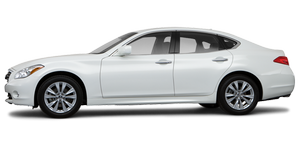
When I first picked up the test car, it beeped at me several times while I was driving on the highway. It took me a minute to figure out that it was beeping every time I drifted into another lane. This was the Lane Departure Warning system in action. There's a small camera mounted behind the windshield that detects lane markers, and when the car drifts out of its lane, the system responds with an alarm and a blinking light in the speedometer. If you don't straighten yourself out, the stability system lightly applies brake pressure and steers the car back into your correct lane. Geesh! I began to wonder if this car could make a cup of tea for me, too.
A backup camera is available on the M35x, and it has handy on-screen guidelines to show you where you're going.
Brake assist is standard, and it applies the maximum brake force needed to prevent a collision. Apparently, many drivers don't apply enough force to the brakes quickly enough to avoid a collision, and this safety feature helps with that problem.
There are six airbags, including front-, side-impact and side curtain airbags for both rows. The M35x also has antilock brakes, an electronic stability system, traction control and active head restraints for the front seats.
FAMILY LIFESTAGE
In Diapers: There's plenty of space for rear-facing infant seats and convertible child-safety seats.
In School: The kids will love the rear DVD player; you'll love the two sets of wireless headphones.
Teens: Teens won't mind sitting in the backseat because it reclines.
See also:
Precautions on child restraints
WARNING
► Failure to follow the warnings and
instructions for proper use and installation
of child restraints could result in
serious injury or death of a child or other
passengers in ...
Intelligent Key battery replacement
CAUTION
Be careful not to allow children to swallow
the battery and removed parts.
Replace the battery as follows:
1. Release the lock knob at the back of the
Intelligent Key and remove t ...
Forward-facing child restraint installation using
LATCH
Refer to all Warnings and Cautions in the “Child safety” and “Child restraints” sections before installing a child restraint.
Follow these steps to install a forwardfacing child restraint using the L ...