
Vehicle Dynamic Control (VDC) off switch

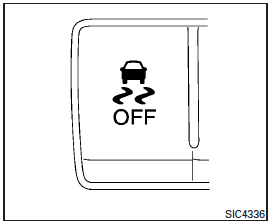
The vehicle should be driven with the Vehicle Dynamic Control (VDC) system on for most driving conditions.
If the vehicle is stuck in mud or snow, the VDC system reduces the engine output to reduce wheel spin. The engine speed will be reduced even if the accelerator is depressed to the floor. If maximum engine power is needed to free a stuck vehicle, turn the VDC system off.
To turn off the VDC system, push the VDC OFF switch. The  indicator will come on.
Push the VDC OFF switch again or restart the engine to turn on the system. See “Vehicle Dynamic Control (VDC) system” in the “Starting and driving” section.
See also:
Voice Adaptation (VA) mode
Voice Adaptation allows up to two out-of-dialect users to train the system to improve recognition accuracy. By repeating a number of commands, the users can create a voice model of their own voice tha ...
Meters and gauges
1. Tachometer
2. Warning/indicator lights
3. Vehicle Information Display
4. Speedometer
5. Fuel gauge
6. Odometer/Twin trip odometer
7. Engine coolant temperature gauge ...
Starting the engine
1. Apply the parking brake.
2. Move the shift selector to P (Park) or N (Neutral). P (Park) is recommended.
The starter is designed not to operate if the shift selector is in any of the driving po ...