
Personal lights

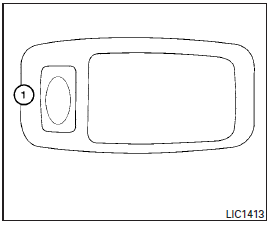
To turn on the personal lights, press and release the switch 1 .
To turn the personal lights off, press and release the switch 1 .
See also:
Touch screen maintenance
If you clean the display screen, use a dry, soft cloth. If additional cleaning is necessary, use a small amount of neutral detergent with a soft cloth. Never spray the screen with water or detergent. ...
Engine oil and oil filter recommendations
Selecting the correct oil
It is essential to choose the correct grade, quality and viscosity engine oil to ensure satisfactory engine life and performance. See Capacities and recommended fuel/lubri ...
Precautions on booster seats
WARNING
If a booster seat and seat belt are not used properly, the risk of a child being injured in a sudden stop or collision greatly increases:• Make sure the shoulder portion of the belt is away f ...