
Vents

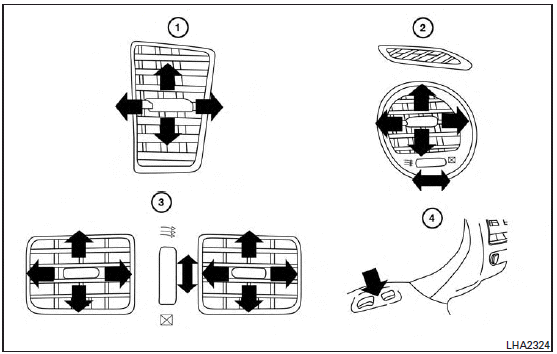
Adjust air flow direction for the driver’s and passenger’s side vents 1 , center vents 2 , and rear vents 3 by moving the vent slide and/or vent assemblies.
Open or close the  vents using the
dial. Move the dial toward the to open the vents or toward the
vents using the
dial. Move the dial toward the to open the vents or toward the  to close them.
The vents underneath the second row seats 4 are operational when the  air flow
mode is selected. These vents cannot be closed. See “Air flow control” in this section for more information.
air flow
mode is selected. These vents cannot be closed. See “Air flow control” in this section for more information.
See also:
Engine serial number
The number is stamped on the engine as shown. ...
Dot matrix liquid crystal display
The dot matrix liquid crystal display 1 is located between the tachometer and the speedometer, and it displays the automatic transmission position indicator (if so equipped), the Intelligent Cruise ...
The Inside
The G37 Limited's candy-red upholstery is a bit much for me, but cabin
quality is otherwise very good. Padded surfaces run all the way down to foot
level, with soft-touch areas in all the places y ...