
Overtaking other vehicles

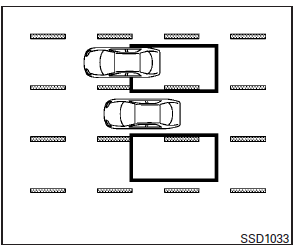
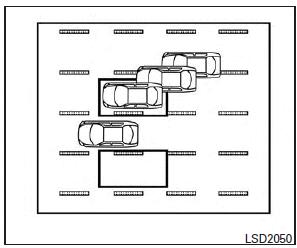
The Blind spot warning indicator light illuminates if you overtake a vehicle and that vehicle stays in the detection zone for approximately 3 seconds.
The radar sensors may not detect slower moving vehicles if they are passed quickly.
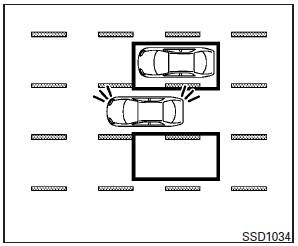
If the driver activates the turn signal while another vehicle is in the detection zone, then the system chimes a sound (twice) and the Blind spot warning indicator light flashes.
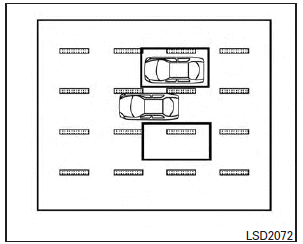
If the BSI system is on and your vehicle approaches a lane marker while another vehicle is in the detection zone, the system chimes a sound (three times) and the Blind spot warning indicator light flashes. Then, the BSI system slightly applies the brakes on one side to help return the vehicle back to the center of the driving lane
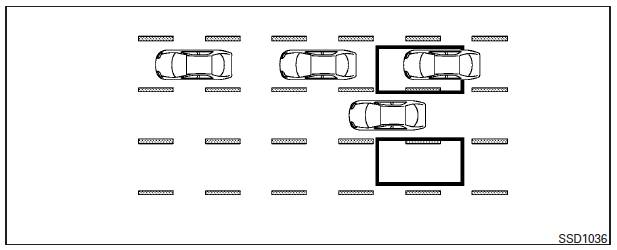
NOTE:
When overtaking several vehicles in a row, the vehicles after the first vehicle may not be detected if they are traveling close together.
See also:
How to use SETTING button
The display as illustrated will appear when
the SETTING button is pushed.
For navigation settings, refer to the separate
Navigation System Owner’s Manual.
Audio settings
The display as ill ...
Moonroof
The moonroof is made from a suede material.
Clean the moonroof material as follows:
CAUTION
To help prevent damaging the moonroof while cleaning:
● Do not rub the material with a cloth ...
Rear-facing child restraint installation using LATCH
Refer to all Warnings and Cautions in the
“Child safety” and “Child restraints” sections
before installing a child restraint.
Follow these steps to install a rear-facing
child restraint in the ...