
Control buttons

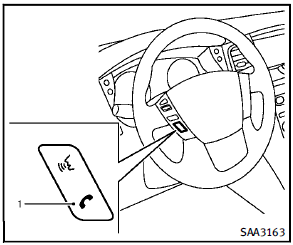
1) PHONE SEND button
See also:
PREVIEW FUNCTION (for Intelligent Cruise Control system equipped models)
The ICC system with the preview function identifies the need to apply emergency braking by sensing the vehicle ahead in the same lane and the distance to the vehicle ahead and relative speed from it, ...
Overtaking other vehicles
The Blind spot warning indicator light illuminates if you overtake a vehicle and that vehicle stays in the detection zone for approximately 3 seconds.
The radar sensors may not detect slower movi ...
Selecting the vehicle-to-vehicle distance control mode
To choose the vehicle-to-vehicle distance control mode 1 , quickly push and release the CRUISE ON/OFF switch A . ...