
Important information about this manual

You will see various symbols in this manual. They are used in the following ways:
WARNING
This is used to indicate the presence of a hazard that could cause death or serious personal injury. To avoid or reduce the risk, the procedures must be followed precisely.
CAUTION
This is used to indicate the presence of a hazard that could cause minor or moderate personal injury or damage to your vehicle.
To avoid or reduce the risk, the procedures must be followed carefully.
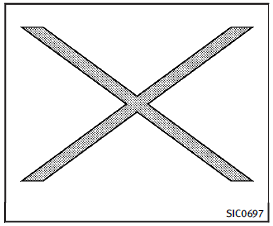
If you see the symbol above, it means “Do not do this” or “Do not let this happen”.

If you see a symbol similar to those above in an illustration, it means the arrow points to the front of the vehicle.

Arrows in an illustration that are similar to those above indicate movement or action.

Arrows in an illustration that are similar to those above call attention to an item in the illustration.
See also:
Emission control system warranty
Your INFINITI is covered by the following emission warranties.
For US:• Emission Defects Warranty• Emissions Performance Warranty (See Warranty Information Booklet for details.)
For Canada:
Emissio ...
CD/DVD combination player (modelswith Navigation System)
● Do not force a disc into the CD/DVD insert slot. This could damage the CD/DVD player.
● During cold weather or rainy days, the player may malfunction due to the humidity.
If this o ...
Towing a trailer
WARNING
Overloading or improper loading of a trailer
and its cargo can adversely affect vehicle
handling, braking and performance and may
lead to accidents.
CAUTION
► Do not tow a ...