
Read first — then drive safely
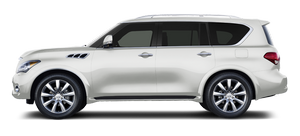
Before driving your vehicle, read your Owner’s Manual carefully. This will ensure familiarity with controls and maintenance requirements, assisting you in the safe operation of your vehicle.
 WARNING
IMPORTANT SAFETY INFORMATION REMINDERS
FOR SAFETY!
Follow these important driving rules to help
ensure a safe and comfortable trip for you
and your passengers!
► NEVER drive under the influence of
alcohol or drugs.
► ALWAYS observe posted speed limits
and never drive too fast for conditions.
► ALWAYS give your full attention to
driving and avoid using vehicle features
or taking other actions that could distract
you.
► ALWAYS use your seat belts and appropriate
child restraint systems. Pre-teen
children should be seated in the rear
seat.
► ALWAYS provide information about the
proper use of vehicle safety features to
all occupants of the vehicle.
► ALWAYS review this Owner’s Manual for
important safety information.
ON-PAVEMENT AND OFF-ROAD DRIVING
This vehicle will handle and maneuver differently from an ordinary passenger car because it has a higher center of gravity for off-road use. As with other vehicles with features of this type, failure to operate this vehicle correctly may result in loss of control or an accident. Be sure to read “On-pavement and off-road driving precautions”, “Avoiding collision and rollover” and “Driving safety precautions” in the “5. Starting and driving” section of this manual.
MODIFICATION OF YOUR VEHICLE This vehicle should not be modified. Modification could affect its performance, safety or durability, and may even violate governmental regulations. In addition, damage or performance problems resulting from modification will not be covered under the INFINITI warranties.
See also:
Lights
1. Map light
2. Parking light
3. Front side marker light
4. Front turn signal light
5. Fog light
6. Headlight (high-beam, low-beam)
7. Puddle light
8. Step light
9. Side turn signal ...
Features
For $2,850, the Technology Package makes the QX as idiot-proof as possible.
Thanks to the features in that package, combined with Infiniti's standard Around
View Monitor, which provides a top-down ...
Map pockets
MAP POCKETS ...