
Before operating dual head restraint DVD system

Precautions
Start the engine when using the Dual Head Restraint DVD System.
WARNING
The driver must not attempt to operate the Dual Head Restraint DVD System or wear the headphones while the vehicle is in motion so that full attention may be given to vehicle operation.
CAUTION
● Only operate the Dual Head Restraint DVD System while the vehicle engine is running. Operating the Dual Head Restraint DVD System for extended periods of time with the engine OFF can discharge the vehicle battery.
● Do not allow the system to get wet.
Excessive moisture such as spilled liquids may cause the system to malfunction.
● While playing VIDEO-CD media, this DVD player does not guarantee complete functionality of all VIDEO-CD formats.
Parental level (parental control)
Video data with the parental control setting can be played with this system. Please use your own judgement to set the parental control with the system.
Disc selection You can play the following disc formats with the DVD player:
● DVD-VIDEO
● VIDEO-CD
● DTS-CD
Use DVDs with the region code “ALL” or the code applicable to your country. The region code is displayed as a small symbol printed on the top of the DVD. This vehicle-installed DVD player can only play DVDs with an applicable region code.
Available audio sources
The following sources are available to play on each display:
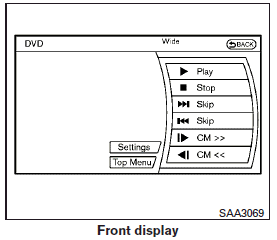
Front display:
● Radio
● CD/DVD
● USB memory/iPod
● Bluetooth audio
● AUX (front)
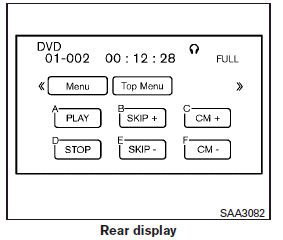
Rear display:
● DVD
● USB memory with video files
● AUX (front/rear)
See also:
Download Handset Phonebook
Download the contacts registered in a Bluetooth® cellular phone. Availability of this function depends on each cellular phone. The memory downloading procedure from the cellular phone also varies acco ...
Touch screen maintenance
If you clean the display screen, use a dry, soft cloth. If additional cleaning is necessary, use a small amount of neutral detergent with a soft cloth. Never spray the screen with water or detergent. ...
Underbody
In areas where road salt is used in winter, it is necessary to clean the underbody regularly in order to prevent dirt and salt from building up and causing the acceleration of corrosion on the underbo ...