
Dot matrix liquid crystal display

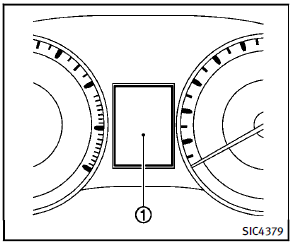
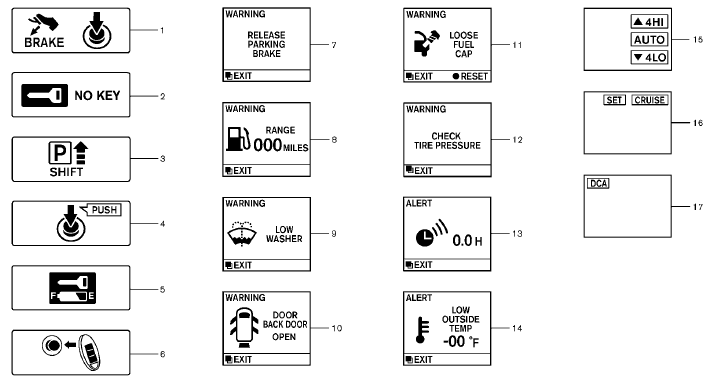
The dot matrix liquid crystal display appears in the vehicle information display 1 located between the speedometer and odometer, and shows the indicators for the driving systems, Intelligent Key operation and various warnings and information. For detailed information about each system, see the following sections:
► Automatic Transmission (AT)
— “Warning/indicator lights and audible
reminders” earlier in this section.
— “Driving the vehicle” in the “5.
Starting and driving” section.
► Four-Wheel Drive (4WD) system
— “INFINITI all-mode 4WD®” in the “5.
Starting and driving” section.
► Cruise control system
— “Cruise control” in the “5. Starting
and driving” section.
► Intelligent Cruise Control (ICC) system
— “Intelligent Cruise Control (ICC) system”
in the “5. Starting and driving”
section.
► Distance Control Assist (DCA) system
— “Distance Control Assist (DCA) system”
in the “5. Starting and driving”
section.
► Intelligent Key system
— “Intelligent Key system” in the “3.
Pre-driving checks and adjustments”
section.
— “Push-button ignition switch” in the
“5. Starting and driving” section.
See also:
Troubleshooting guide
The system should respond correctly to all voice commands without difficulty.
If problems are encountered, try the following solutions.
Where the solutions are listed by number, try each solution ...
2013 Infiniti JX35 Review
Don't you ever wish car companies would get with the program and hire a real
expert? Not some stuffy pinstriped suit but rather a parent, like yourself, who
has the same automotive needs, wants an ...
Audio main operation
Head unit:
The auto loudness circuit enhances the low and high frequency ranges automatically in both radio reception and CD playback.
ON·OFF/Volume control:
Push the ignition switch to the ACC or ...