
Phonebook registration

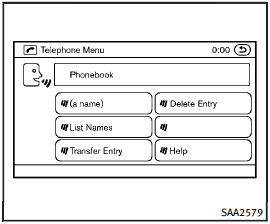
Phonebook registration
When the cellular phone is connected to the in-vehicle module, the data stored in the cellular phone such as phonebook, outgoing call logs, incoming call logs and missed call logs is automatically transferred and registered to the system.
The availability of this function depends on each cellular phone. The copying procedure also varies according to each cellular phone. See cellular phone Owner’s Manual for more information.
Up to 1,000 phone numbers per registered cellular phone can be stored in the phonebook.
See also:
Washing
Wash dirt off with a wet sponge and plenty of water. Clean the vehicle thoroughly using a mild soap, a special vehicle soap or general purpose dishwashing liquid mixed with clean, lukewarm (never hot) ...
During a call
During a call
There are some options available during a call. Select one of the following displayed on the screen if necessary.
• Hang upFinish the call.
• Use HandsetTransfer the call to the cel ...
Distance control assist operation
Always pay attention to the operation of the vehicle and be ready to manually decelerate to maintain the proper following distance. The Distance Control Assist (DCA) system may not be able to decele ...