
Useful tips for correct operation

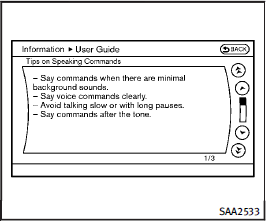
Useful tips for correct operation
You can display useful speaking tips to help the system recognize your voice commands correctly.
Select “Help on Speaking” to start display.
See also:
Precautions on vehicle-to-vehicle distance control mode
The system is intended to enhance the
operation of the vehicle when following a
vehicle traveling in the same lane and
direction.
If the distance sensor A detects a slower
moving vehicle a ...
Brake pad wear warning
The disc brake pads have audible wear warnings. When a brake pad requires replacement, it will make a high pitched scraping sound when the vehicle is in motion. This scraping sound will first occur on ...
Volume control switches
Push the upper (+) or lower (−) side switch to increase or decrease the volume. ...