
Voice command examples

To use the INFINITI Voice Recognition function, speaking one command is sometimes sufficient, but at other times it is necessary to speak two or more commands.
As examples, some additional basic operations by voice commands are described here.
For navigation system commands, see the separate Navigation System Owner’s Manual.
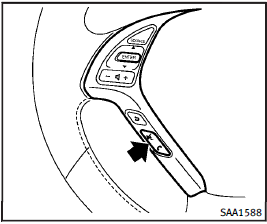
Example 1 - Placing a call to the phone number 800-662-6200:
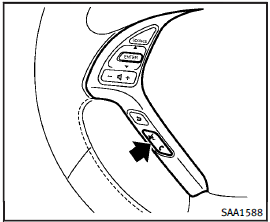
1. Push the TALK  switch located on the steering wheel.
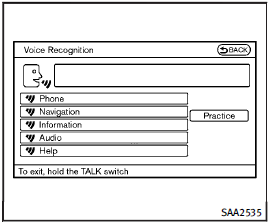
2. The system announces, “Would you like to access Phone, Navigation, Information, Audio or Help?” 3. Speak “Phone”.
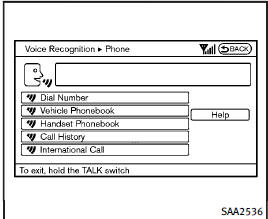
4. Speak “Dial Number”.
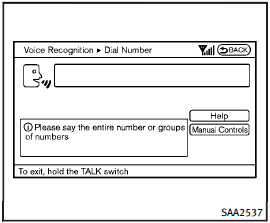
5. Speak “8 0 0”.
Selecting the “Manual Controls” key switches the screen to the keypad to input the phone number manually.
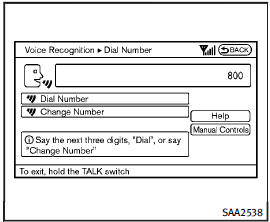
6. The system announces, “Please say the next three digits or dial, or say change number.” 7. Speak “6 6 2”.
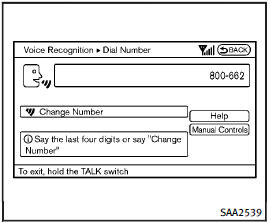
8. The system announces, “Please say the last four digits” or say change number.
9. Speak “6 2 0 0”.
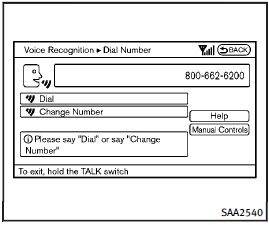
10.The system announces, “Dial or Change Number?” 11.Speak “Dial”.
12.The system makes a call to 800-662- 6200.
NOTE:
• You can also speak “800-662-6200” (10 continuous digits) or “662-6200” (7 continuous digits), if the area code is not necessary. However, the 3-3-4 digit grouping is recommended for improved recognition. (See “Giving voice commands”.). You can only say a phone number using the 3-3-4 grouping, 7 digits, and 10 digits using this command. Please use the “International Call” command for all other formats.
• If you say “Change Number” during phone number entry, the system will automatically request that you repeat the number using the 3-3-4 format. In this case please say the area code first and then follow the prompts.
• Do not add a “1” in front of the area code when speaking phone numbers.
• If the system does not recognize your command, please try repeating the command using a natural voice. Speaking too slow or too loudly may further decrease recognition performance.
Example 2 - Placing an international call to the phone number 011-81-111-222-3333:
1. Push the TALK switch located on the steering wheel.
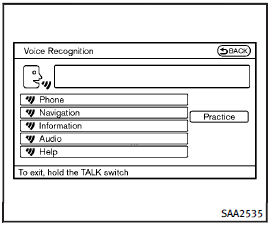
2. The system announces, “Would you like to access Phone, Navigation, Information, Audio or Help?” 3. Speak “Phone”.
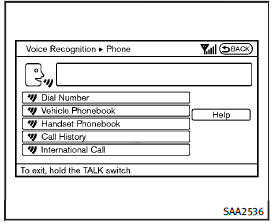
4. Speak “International Call”.
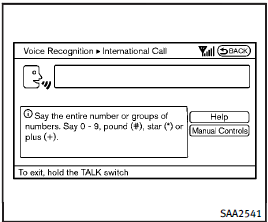
5. Speak “011811112223333”.
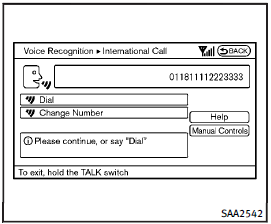
6. Speak “Dial”.
7. System makes a call to 011-81-111- 222-3333.
NOTE:
Any digit input format is available in the International Number input process.
See also:
Operating tips
● The screen displayed on the Around View Monitor will automatically return to the previous screen three minutes after the CAMERA button has been pressed with the shift selector in a position ot ...
If your vehicle is stolen
If your vehicle is stolen, you should change the codes of any non-rolling code device that has been programmed into HomeLink®. Consult the Owner’s Manual of each device or call the manufacturer or ret ...
Opening windows
The UNLOCK button operation also allows you to open the window that is equipped with the automatic open/close function. (See “Power windows”).
To open the window, push the door UNLOCK button
2 on ...